Typst is a modern typesetting system for reports, papers, notes, and other structured documents. Like LaTeX, it produces polished PDFs from plain text files. Unlike LaTeX, it has a compact syntax, fast previews, and a scripting language that feels like a natural part of the document.
Instead of learning the same syntax through many small examples, we will start with one complete document. Then we will focus on the features that make Typst especially useful: programming, loading data from files, automatic references, native graphics, global styling, and reusable modules.
Start with one complete document
A practical starter example
Create a file named main.typ:
#set heading(numbering: "1.")

= My First Report

Typst combines readable markup with professional output.

== Highlights

- Clean headings and lists
- *Bold* and _italic_ text
- Inline math: $ a^2 + b^2 = c^2 $

#figure(
  table(
    columns: 2,
    inset: 6pt,
    stroke: rgb("#d1d5db"),
    [*Tool*], [*Use case*],
    [Typst], [Reports],
    [Markdown], [Notes],
  ),
  caption: [A small comparison table],
)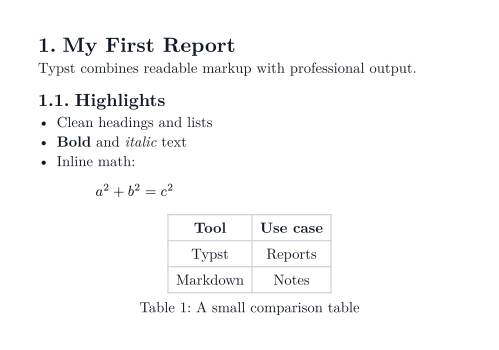
This example already covers the essentials:
- headings begin with
=characters, - list items begin with
-, - text can be styled with
*bold*and_italic_markup, - mathematics lives between
$characters, - functions such as
tableandfigurebuild richer document elements, #switches from markup into Typst code.
Choose how to start
- Use the web app. Open typst.app, create a project, and paste the starter example. The PDF preview updates as you write.
- Install the compiler. Follow the official installation page, then compile
main.typfrom your terminal:
typst compile main.typDuring editing, use watch mode to rebuild the PDF automatically:
typst watch main.typOn Windows, the short install command is winget install typst. On macOS, use brew install typst.
Add a bibliography
Create works.bib:
@article{typst-paper,
  author = {Taylor, Alex},
  title = {A Modern Typesetting Workflow},
  journal = {Document Systems Review},
  year = {2026}
}
Then cite the entry with @typst-paper and add the generated reference list:
= Research Notes

Typst keeps citations and references together. @typst-paper

#bibliography("works.bib", style: "ieee")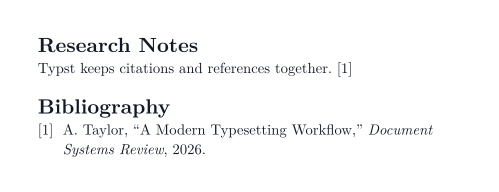
Typst also supports its native Hayagriva bibliography format. Only cited entries appear by default, so the reference list stays synchronized with the document.
What makes Typst different
Documents are programmable
Typst includes variables, functions, loops, and conditions. You can create a reusable visual component and generate content from data without leaving the document:
#let badge(name, score) = block(
  fill: rgb("#eff6ff"),
  stroke: rgb("#93c5fd"),
  inset: 8pt,
  radius: 4pt,
  [*#name* - #score points],
)

#for (name, score) in (
  ("Ada", 92),
  ("Grace", 88),
  ("Linus", 84),
) [
  #badge(name, score)
  #v(4pt)
]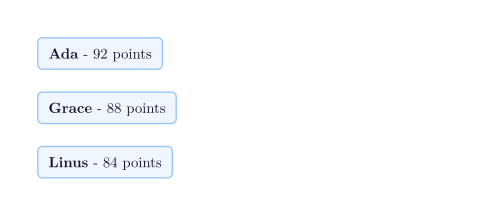
The same approach works for repeated report sections, invoices, student feedback, or any document assembled from structured content.
Read structured data from files
Documents often depend on external data. Typst can load CSV, JSON, YAML, XML, and plain text files directly. For example, create sales.csv:
January,128
February,164
March,193
Then render it as a table:
#let sales = csv("sales.csv")

= Sales Report

#table(
  columns: 2,
  inset: 7pt,
  stroke: rgb("#d1d5db"),
  table.header([*Month*], [*Sales*]),
  ..sales.flatten(),
)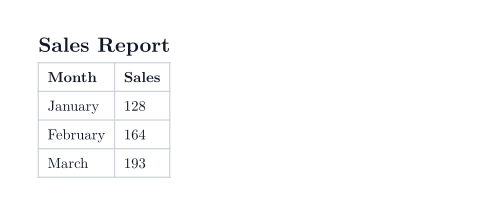
This keeps content and presentation separate. Update the data file, compile again, and the PDF follows automatically.
Figures and references stay synchronized
Typst numbers figures and resolves references for you. Add a label after the figure and reference it with @label:
As shown in @revenue, figures get automatic numbers and references.

#figure(
  rect(
    width: 80%,
    height: 24mm,
    fill: gradient.linear(rgb("#dbeafe"), rgb("#bfdbfe")),
    radius: 4pt,
    align(center + horizon)[*Quarterly revenue*],
  ),
  caption: [Revenue overview],
) <revenue>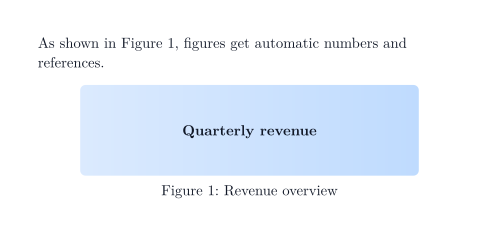
The same label system works for sections, equations, tables, and other document elements.
Plot mathematical functions
Typst packages can extend the language with focused tools. With simple-plot, define a mathematical function and render its graph directly:
#import "@preview/simple-plot:0.3.0": plot

#let f(x) = calc.sin(x)

#figure(
  plot(
    xmin: -2 * calc.pi,
    xmax: 2 * calc.pi,
    ymin: -1.5,
    ymax: 1.5,
    width: 10,
    height: 5,
    show-grid: "major",
    (fn: f, stroke: rgb("#2563eb") + 1.5pt, label: $f(x) = sin(x)$),
  ),
  caption: [The function $f(x) = sin(x)$],
)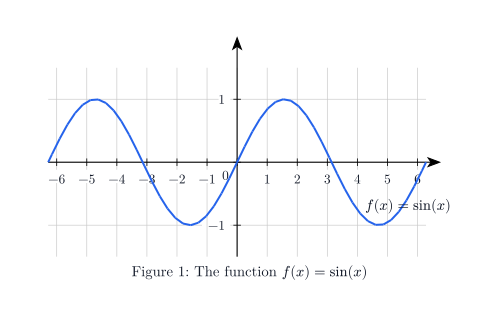
The package handles axes, grid lines, labels, and sampling. Change f, the ranges, or the styling to produce another graph.
Style semantic elements globally
Show rules let you customize how a kind of element is rendered everywhere in the document:
#show heading: it => block(
  fill: rgb("#eff6ff"),
  stroke: rgb("#93c5fd"),
  inset: 8pt,
  radius: 4pt,
  it,
)

= Styled Heading

Show rules let you style semantic elements consistently.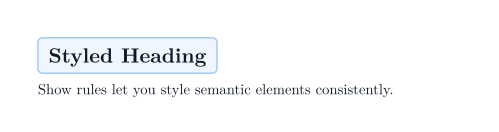
This is one of Typst’s strongest ideas: content stays semantic while presentation rules stay reusable.
Split reusable components into modules
As a document grows, move shared helpers into separate files. Create helpers.typ:
#let callout(body) = block(
  fill: rgb("#ecfdf5"),
  stroke: rgb("#6ee7b7"),
  inset: 9pt,
  radius: 4pt,
  body,
)
Import and use the helper from main.typ:
#import "helpers.typ": callout

= Shared Components

#callout[
  This component lives in another file and can be reused throughout the project.
]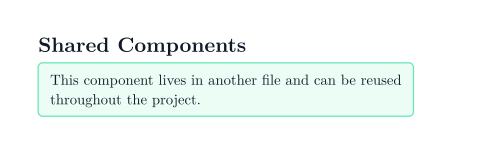
Modules make it practical to share styles, components, and document templates across multiple files.
Create presentations
Typst is also useful for technical presentations. You can build slides by hand or use packages such as touying. Touying adds themes, heading-based slides, incremental reveals, and speaker notes while keeping ordinary Typst markup, mathematics, and layout tools available.
#import "@preview/touying:0.7.3": *
#import themes.simple: *

#show: simple-theme.with(aspect-ratio: "16-9")

== Typst for technical talks

#grid(
  columns: (1fr, 1fr),
  gutter: 18pt,
  [
    *One source, many outputs*

    - Reusable themes
    - Mathematical notation: $ integral_0^1 x^2 dif x = 1 / 3 $
    - Fast PDF export
    #uncover("2-")[- Incremental reveals]
  ],
  [
    #image("workflow.jpg", width: 100%, height: 72mm, fit: "cover")

    #v(6pt)

    #text(size: 13pt, fill: rgb("#475569"))[
      Code, data, documents, and slides in one reproducible workflow.
    ]
  ],
)

#speaker-note[
  Mention that the final bullet is revealed after the first click.
]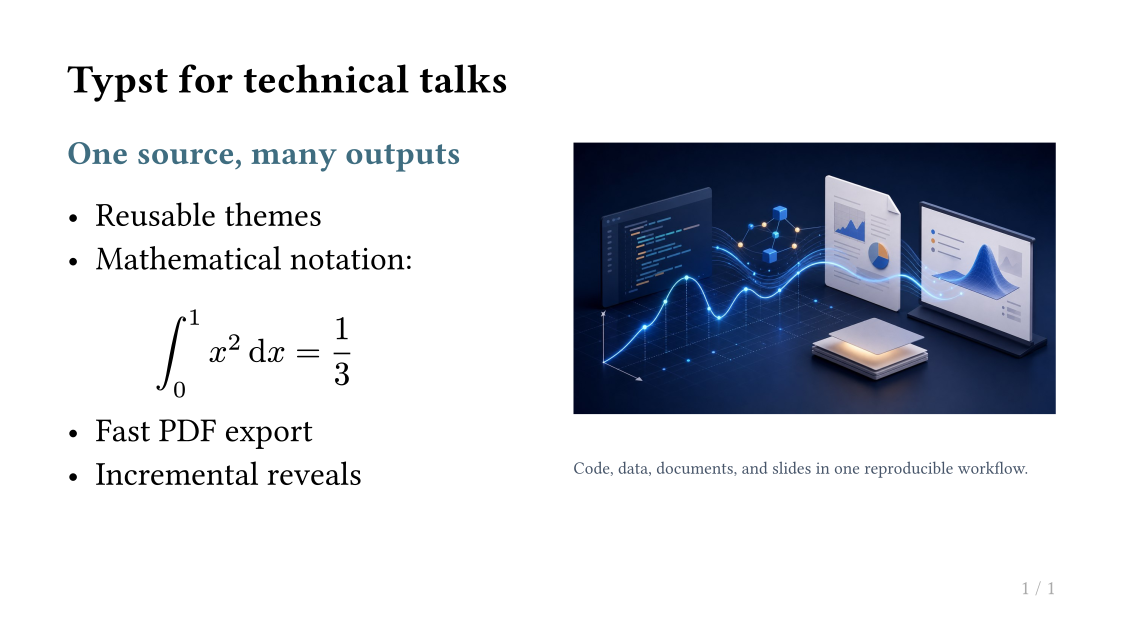
Add the illustration as workflow.jpg next to the Typst source file. This single slide demonstrates the main building blocks: a theme, a 16:9 aspect ratio, heading-based slide creation, columns, image placement and cropping, mathematics, overlays with #uncover, and presenter notes. Typst Pro also has a built-in presentation mode with a speaker view, timer, progress indicator, pointer tools, and drawing. The official app does not currently expose speaker notes in presentation mode, so notes are mainly useful with Touying-compatible presentation workflows.
Where to go next
For a practical next step, explore six unique uses of Typst: generative artwork, adaptive business cards, foldable objects, self-indexing guides, worksheet editions, and computed diagrams.
Once the starter document feels familiar, the official reference is the best place to explore further:
- Scripting for variables, functions, loops, and conditions
- Data loading for CSV, JSON, YAML, XML, and plain text files
- Figures and references for automatically synchronized document elements
- Bibliographies for citations and generated reference lists
- Visualization for native drawing primitives
- Modules for organizing reusable code
- Presentation mode and
touyingfor technical slides
An honest assessment
What Typst does well
- The syntax is readable enough for small documents but powerful enough for generated reports.
- Compilation and live previews are fast, which makes iteration pleasant.
- Mathematics, figures, citations, tables, and cross-references work together naturally.
- Scripting, data loading, modules, and packages reduce repetition as projects grow.
- The same skills transfer from papers and reports to technical presentations.
Where Typst is weaker
- The ecosystem is younger than LaTeX, so specialized templates and packages are less mature.
- Community packages can change their APIs. Pin package versions such as
touying:0.7.3in serious projects. - PDF-first workflows are excellent for controlled output, but less convenient when collaborators expect Word, Google Docs, or PowerPoint files.
- Highly custom visual layouts still require time spent learning Typst’s layout model.
- Presentation workflows are improving, but they are not yet as universal as dedicated slide software.
Typst is strongest when you value reproducible source files, precise output, fast feedback, and reusable automation. It is less compelling when the main requirement is compatibility with an office suite or a large existing LaTeX template ecosystem.
Keep reading
A few more articles to explore.